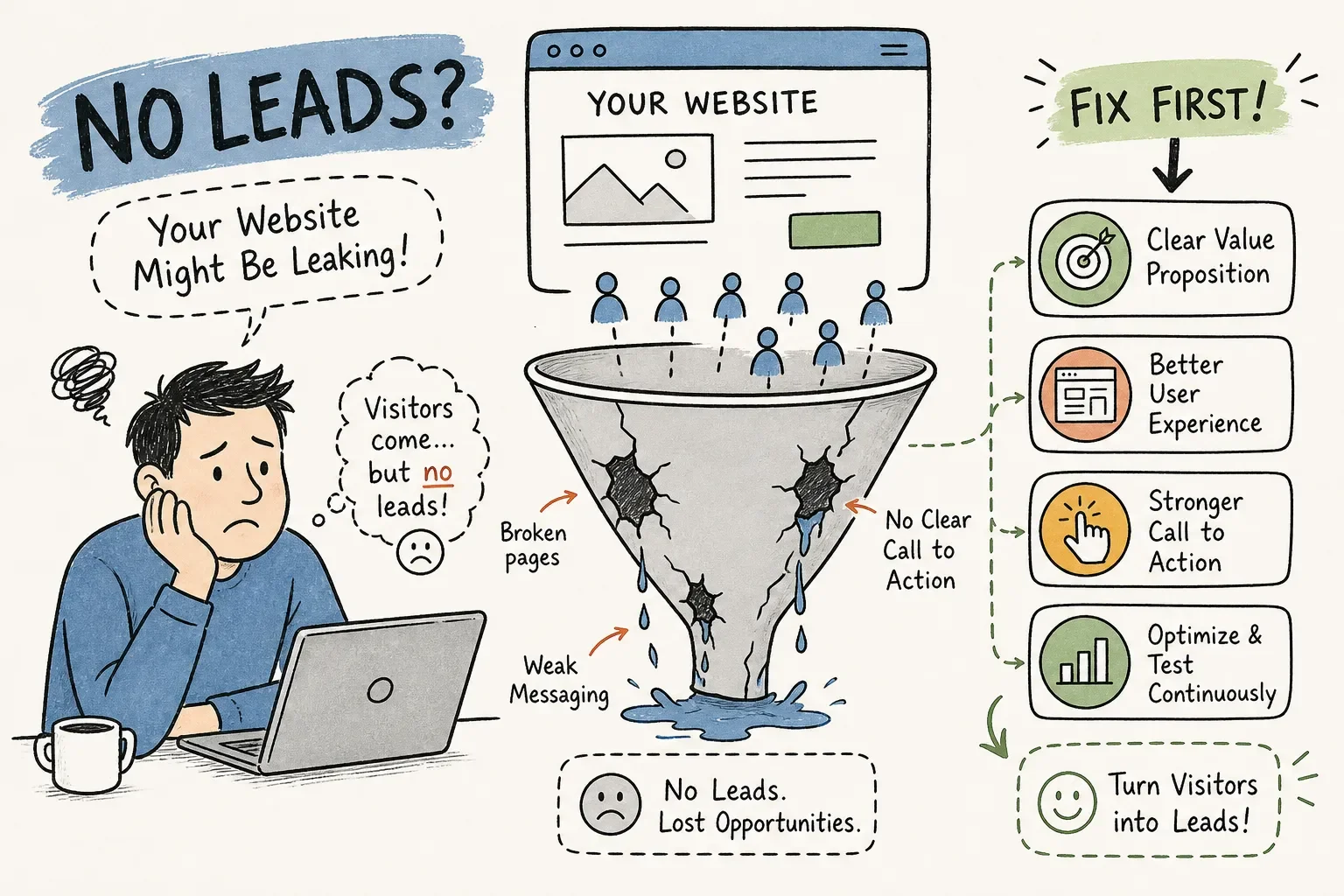
If your website gets no leads even though people are visiting, you're not alone, and you're not out of options. The most common reasons a small business website doesn't bring in leads are unclear copy, weak or missing calls to action, trust gaps, and small usability problems that stop visitors before they reach your contact form. The good news: each of these can be found and fixed.
Traffic without inquiries is one of the most common problems small business owners face online. If people are finding your site but almost nobody calls or fills out a form, you probably don't have a traffic problem. You have a conversion problem, and fixing it starts with finding where visitors drop off.
At Northtrail Web Design, we build conversion-focused Squarespace websites for small businesses. This guide walks through the same order we use when a site gets visitors but no calls.
Key takeaways
Know your number first: Most service businesses convert 2% to 5% of visitors into leads. A site below 1% has a problem worth finding before you spend more on ads.
Check your site the way visitors see it: Most owners look at their site on a desktop with fast Wi-Fi. Most visitors are on a phone with a cell signal, where slow pages and broken layouts cost you leads.
Copy does the heavy lifting: Vague headlines and generic buttons hurt service websites more often than the design itself.
Put trust signals near the form: Reviews and a short "what happens next" note beside your contact form help visitors decide to reach out.
Check your tracking before you change anything: Sometimes leads are coming in but aren't being recorded or seen.
Change one thing at a time: Fix your headline, button, form, and trust signals one after another so you know what actually worked.
What conversion rates look like for small business websites
Your conversion rate is the share of visitors who take action, like calling, filling out a form, or booking a job. To find yours, divide your form submissions (or calls and bookings) by your visits over the last 90 days.
Here's how average website conversion rates break down by industry, based on a 2026 dataset of more than 110 million sessions, according to Builderify. These rates count phone calls, offline inquiries, and sales along with form fills, so a site that only tracks form submissions will usually see a lower number.
Automotive: 7.9%
Legal: 7.9%
Software / SaaS: 7.6%
Education: 6.3%
Finance: 6.3%
Professional services: 6.1%
Construction and engineering: 4.9%
Beauty and cosmetics: 3.5%
Real estate: 2.8%
Health and social care: 2.3%
All industries: 5.13%
If you only count form fills, most service businesses land between 2% and 5%. A dedicated landing page built for one offer can do better. Use these ranges to read your own number:
Below 1%: Something is broken. Look at traffic quality, how the site works on phones, and whether your offer is clear.
1% to 3%: Common for sites with broad traffic or longer buying decisions. There's room to improve.
3% to 5%: Solid for a typical lead-generation site.
Above 5%: Strong.
Where your traffic comes from also matters. Visitors from paid ads, Google search, and social media all behave differently, so compare each channel to itself over time. For deeper benchmarks by industry, see our guide to conversion rate optimization for small business owners.
Why your website has no leads: problems you can't see from your desk
Slow pages and broken mobile layouts
Slow load times and broken mobile layouts stop visitors before they read your offer or reach your form. Many owners only check their site on a desktop computer with home Wi-Fi. Instead, open it on an average phone using a cell connection. That's how a large share of your visitors see it. Oversized images, too many fonts, and heavy add-ons like chat widgets are common causes of slow pages on DIY builds.
Confusing navigation
When a visitor lands on your site and sees a crowded menu with six or seven choices, they have to figure out where to go on their own. Most won't. Confusing menus make visitors leave before they ever find your services or your contact form.
Forms that ask for too much
Asking for a full project description, timeline, budget, and how they heard about you before first contact is too much. Cut your form down to name, phone or email, and one qualifying question, like what service they need. Get the rest of the details after you've connected. Our guide to high-converting service business landing pages covers form length in more detail.
Why weak copy and vague buttons lose leads you already have
Your headline doesn't say why you
The most common problem on service business websites isn't bad design. It's copy that doesn't answer the question every visitor is asking: why should I hire you instead of someone else? A headline like "Welcome to our business" or "Quality service you can count on" tells a visitor nothing about what changes for them. Lead with one clear sentence about who you help and the result they get. Specific beats clever every time.
Your buttons don't give a reason to click
Labels like "Submit" and "Contact Us" describe an action but don't offer a benefit. Write button text that finishes the sentence "When I click this, I will…" For service businesses, that means buttons like:
Get My Free Quote
Book a Free Consultation
Schedule a 15-Minute Call
Give visitors a reason to click, not just an instruction.
Too many choices
One main call to action per page works better than several competing ones. If your homepage has four different buttons going to four different places, visitors hesitate. Pick one clear next step, make it visible without scrolling, and repeat that same button further down the page.
What trust gaps are stopping visitors from reaching out?
Even visitors who understand your offer will hesitate if your page doesn't show that you're credible. Reviews and testimonials placed near your contact form lower that risk at the exact moment someone is deciding. A testimonial buried on a separate Reviews page does far less work than one right beside the form. For local businesses, showing your Google rating and review count builds trust fast.
Specific reviews that mention a real result do far more than vague praise like "Great work, highly recommend."
Two small additions near your form also help:
A "what happens next" line: For example, "You'll hear back within one business day."
A one-line privacy note under the button: For example, "No spam. We'll only use your info to follow up on your request."
These are small details, but they answer worries visitors have and don't say out loud.
Are your leads actually being tracked?
Before you assume your site has a conversion problem, make sure your tracking isn't broken. Some owners think their site gets no leads when form submissions are actually arriving but never being seen or recorded.
Here's a quick check:
Compare the number of form submissions in your form tool (like Squarespace's form storage or email notifications) to the leads in your inbox or CRM for the same dates. A gap between those numbers is a tracking problem, not a conversion problem.
Open a private (incognito) browser window and submit a real test lead. Make sure the thank-you page loads, the lead shows up where you expect it, and your Google Analytics 4 (GA4) lead event (such as form_submit or generate_lead) fires once.
Make sure that GA4 event only fires after a real submission, not when someone clicks the button or opens the page.
Fix tracking before you change anything else. Without reliable numbers, you can't tell whether any fix is working.
How to fix a website that isn't generating leads
Start with the page that gets the most traffic and already has a contact form. Changes to a page with very few visitors won't tell you much. Work through fixes in this order:
Headline and main message
Form length
Button wording
Reviews and trust signals near the form
Your analytics may point you to a different order, so let the data guide you.
Change one thing at a time. If you change the headline and the button together, you won't know which one made the difference. Before each change, write down what you expect to happen and why. Then compare your results to your 90-day baseline.
Most small business sites don't get enough traffic for formal A/B testing tools. In that case, make one bigger change, give it four to six weeks, and only count it as a win if the improvement holds. Pages with less traffic may need longer.
Measure qualified leads and booked calls, not just form submissions. A shorter form that brings in more low-quality requests isn't a win.
If you've made focused fixes and nothing moves after a few weeks, the problem may be how the site is built. Our guide on how to know if your website needs a redesign can help you decide.
Turn your existing traffic into real inquiries
The order is simple: check your numbers and tracking first, then work through usability, copy, and trust signals. Most service business websites don't have a traffic problem. They have a conversion problem, and you can fix it without spending more on ads.
If you'd rather have someone find the problems for you, that's what we do at Northtrail Web Design. When you work with us, you work directly with Matthew from the first call through the fix. We'll review your site, tighten your copy, and build pages designed to make your phone ring, not just bring in traffic. Start with a free website audit.
Whether you use this as a self-audit checklist or hand it off to us, the starting point is the same: stop guessing and fix the specific problems keeping your visitors from reaching out.
Frequently asked questions
-
Give each change four to six weeks before you judge it. Pages with less traffic may need longer. Only count a change as a win if the improvement holds over that time.
-
Open your site on an average phone using a cell connection, not just a desktop on home Wi-Fi. That shows slow loading, broken layouts, and menu problems that desktop testing misses.
-
Count qualified leads and booked calls, not just form fills. A shorter form that brings in low-quality requests isn't a win. Always check lead quality before calling a change successful.
-
Check tracking before you make any other changes, and test again any time you change a form or your tracking setup. Use a private browser window to submit a test lead and confirm it arrives once and your GA4 lead event fires once.
Get a Free Website Audit
Not sure what's holding your site back? Send me your website below and I'll review it for free. You'll get a short list of the top issues I find and what to fix first. No pressure.