Conversion rate optimization for small business owners means making targeted changes to your existing website so more of the visitors already arriving take action: call, fill out a form, or book a job. No extra ad budget required.
If 1,000 people visit your site each month and 2% contact you, that's 20 leads. Move the needle to 4% and you've got 40 leads. That's double, without spending another dollar on traffic.
This is exactly the kind of work we tackle at Northtrail Web Design for small business owners who are getting traffic but not getting calls. This guide covers what to change, what to track, and when it makes sense to hand the whole process off to someone else.
Key takeaways
No extra traffic needed: Doubling your conversion rate produces the same result as doubling your ad budget, at a fraction of the cost.
Headlines matter most: Copy and messaging changes produce a median lift of 27.4%; color changes produce 3.1%. Invest your time accordingly.
Trust signals belong near the form: Placing testimonials and guarantees beside your contact form consistently outperforms putting them in a footer.
Start with free tools: GA4 costs $0 and covers everything a small business needs to measure progress.
Set a baseline first: You cannot measure improvement without a documented starting point from the last 90 days.
Test one big thing at a time: On low traffic, only large changes produce effects you can actually detect and act on.
What conversion rate optimization actually means for a small business
For most small business owners, conversion rate optimization for small business boils down to one question: why are people landing on my site and leaving without calling?
Service businesses typically convert at 2% to 5%. A realistic first goal is not to hit a top-quartile rate overnight. It's a 15% to 30% relative improvement from wherever you're starting. That's the difference between 20 leads a month and 25 to 26, and over a year, that gap compounds.
The math becomes more convincing at higher traffic levels. At 3,000 monthly sessions, moving from 2% to 3% means going from 60 inquiries to 90. That's 30 additional calls, none of which required a single new ad impression.
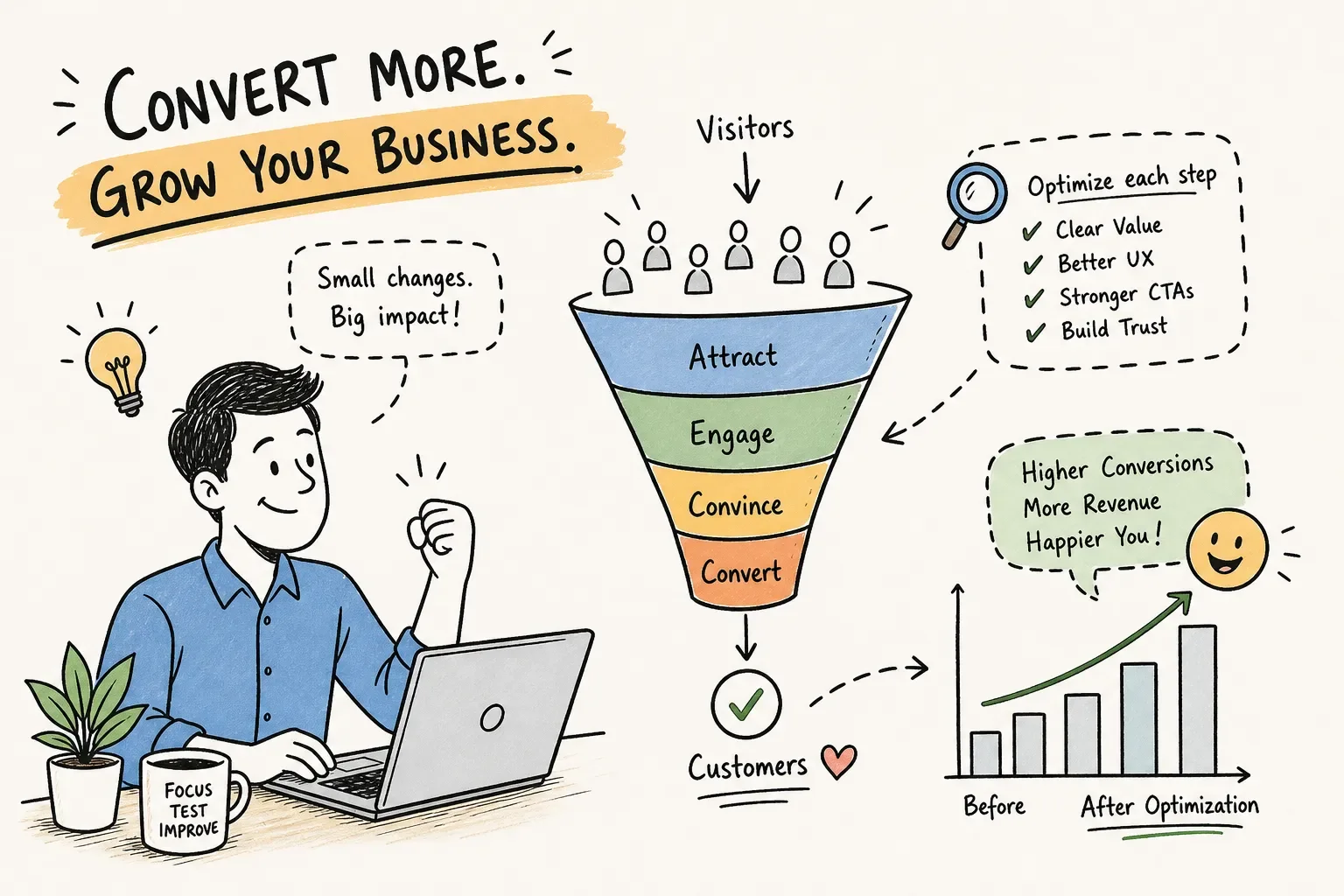
The improvement doesn't come from magic. It comes from fixing specific things on specific pages. Most small business websites were built to look credible, not to drive a specific action. A visitor lands on the homepage, can't immediately tell what the business does, who it serves, or what to do next, and leaves. Think of it as a leaky funnel: traffic is entering, but it's draining out at predictable spots.
Figgy Play, an online children's toy brand, rewrote its headlines to match how customers actually searched and saw a 33.67% conversion increase. The fix wasn't a redesign. It was alignment between what visitors expected and what the page delivered.
What's a realistic conversion rate for a service-based business?
Knowing whether you have a problem requires a benchmark. For home services like plumbing, HVAC, and roofing, typical 2026 conversion rates run from 2% to 5%, with strong performers hitting 6% to 12%. General local service businesses average 3% to 5%. A dedicated landing page tied to a specific campaign can realistically reach 10% or higher when the messaging is tightly matched to the ad that drove the click.
One important clarification: "conversion" here means a form submission, phone call, or booking, not a closed sale.
A lower raw conversion rate doesn't always mean trouble. In one published case study, a travel website added a second form step. Initial conversions dropped 15%, but downstream sales conversion improved 9% and cost per quote fell 22%. Fewer leads, better leads. Track what actually matters to your bottom line.
Before you change anything, document your baseline. Open GA4, find the goal event (form_submit or booking_complete), and divide completions by total sessions for that page over the last 90 days. Monthly numbers are unstable because of seasonality and low traffic volume. Ninety days gives you a reliable foundation. Without a documented starting point, you're flying blind on whether anything you do is working.
Which website changes move the needle most
An analysis of published A/B tests found that copy and messaging changes produce a median conversion lift of 27.4%, while color changes produce just 3.1%. The takeaway is simple: if you have limited time, put it into what you say before you touch how anything looks. That insight alone is the foundation of effective small business CRO.
Write your headline around the outcome your customer wants
There's a meaningful difference between "Professional Plumbing Services" and "Fast, Reliable Plumbing Fixes, Same-Day Service in Austin." The first tells the visitor what you are. The second tells them what they get and when.
A practical rewrite formula: what you do, who you do it for, and why it matters to them. Apply that to every major headline on your site before testing anything else. This single change is often the highest-return move in conversion optimization for SMBs, because it fixes the most common failure point: visitors who can't immediately tell whether they're in the right place.
Make your call-to-action specific and impossible to miss
Vague CTAs like "Learn More" or "Click Here" create hesitation because visitors don't know what happens next. Specific CTAs like "Get My Free Quote" or "Book a Same-Day Visit" remove that uncertainty. Place one primary CTA above the fold and repeat it at logical scroll points down the page. Don't bury it at the bottom.
In one published case study, a furniture retailer cut its checkout from seven clicks to three and saw a 35% conversion increase. The same principle applies to any multi-step inquiry form on a service site: every unnecessary step is a door you're leaving open for visitors to walk back out.
Add trust signals where visitors are deciding, not where they're scrolling
Trust signals are testimonials with real names and specific outcomes, Google review ratings, guarantee statements, and a photo of the actual person doing the work. Where you place them matters as much as having them at all.
In one ecommerce case study, a subscription brand moved guarantee messaging and payment trust signals directly beside the add-to-cart button and saw a 25.4% conversion increase. For a service business, the equivalent is placing your best testimonial directly beside or below your contact form, not in the footer where almost no one reaches it.
How to know if your changes are actually working
For a small business, the free analytics tool to start with is Google Analytics 4 (GA4). GA4 tracks conversion events, funnel drop-off, traffic sources, pathing, and engagement, and it lets you create custom events and funnels to pinpoint where visitors abandon the process. GA4 tells you what's happening and where to focus your changes.
If you later want visual context like heatmaps or session recordings, add a dedicated visual-analytics tool. Add Hotjar (around $32 per month) if you need on-site surveys to understand visitor objections.
Hold off on a formal A/B testing platform until you confirm you have the traffic to support it. A reliable test generally needs roughly 5,000 or more monthly sessions on the specific page you're testing. Paying for a $200-per-month testing platform before you hit that threshold is spending money to produce inconclusive data.
Week to week, track one number above all others: your primary conversion rate, which is completed form submissions or bookings divided by sessions. Watch bounce rate and time on page as diagnostic signals, not as success metrics on their own. A simple weekly check takes five minutes:
Primary conversion rate
Funnel drop-off by step
Device breakdown (mobile vs. desktop)
On low-traffic sites the data is noisy, so only call a change successful if you see a sustained increase of roughly 20% to 30% relative to your baseline. That's not 20 to 30 percentage points. "Relative" means a percentage of the original rate:
Baseline of 2%: a 20% relative lift brings you to 2.4%. A 30% lift brings you to 2.6%.
Baseline of 5%: a 20% relative lift brings you to 6%. A 30% lift brings you to 6.5%.
Because those changes are small, make sure the improvement holds for a few weeks (depending on traffic) before declaring victory. Two days of data is never enough.
CRO checklist for small teams
Before bringing in outside help, run through this quick checklist. These are the highest-impact items in any conversion rate optimization for small business effort, and most can be checked in a single afternoon:
Does your homepage headline immediately tell visitors what you do, who you serve, and why you're the right choice?
Is there one clear primary CTA above the fold on every key page?
Are testimonials and trust signals placed near your contact form, not buried in the footer?
Have you set up GA4 goal tracking and documented your baseline conversion rate for the last 90 days?
Does your site load in under three seconds on a mobile device?
Are paid traffic campaigns sending visitors to a dedicated landing page rather than your homepage?
If you can check every box, you're in strong shape. If two or more are unchecked, those gaps are almost certainly costing you leads right now.
When it's time to stop tweaking and bring in help
Some conversion problems can't be solved with a button tweak or a headline rewrite. If a stranger can't say within five seconds who you serve, what you do, and why they should pick you, the site needs more than small fixes. The same is true if you're sending paid traffic to your homepage instead of a dedicated landing page, or if your site has several competing CTAs with no clear primary action.
Mobile performance deserves special attention. For service businesses, most traffic arrives on a phone, and that share keeps growing every year. A slow mobile page kills conversions before any headline test has a chance to matter. When we design sites, one benefit of Squarespace is the ability to adjust layouts separately for mobile and desktop, so you can put the mobile experience first without hurting desktop. If your site isn't optimized for mobile, you're losing clients.
If several of these issues exist at once, isolated tweaks won't produce meaningful results. You need a full reset of the conversion path, not another round of small changes.
A professional CRO process covers the full picture: a site audit, conversion path mapping, copywriting improvements, trust signal placement, tracking setup, and ongoing testing. This is exactly what Northtrail Web Design's CRO service delivers for small business owners who don't have time to run experiments between job sites or client calls. When a site was underperforming, the cost of a CRO engagement is often recovered in new inquiries within the first few months.
Start with what you control, then scale from there
Conversion rate optimization for small business doesn't require more traffic or a bigger ad budget. What it does require is clarity: a headline that tells visitors exactly what you do, a CTA they can't miss, and trust signals placed where decisions actually get made.
Start with those three. Measure with GA4. Test one big change at a time and give it enough time and traffic to produce a reliable signal. A well-executed small business CRO effort can realistically move a 2% conversion rate to 3% or 4%, doubling inquiries without touching ad spend. It starts with changes you can make this week.
Northtrail Web Design includes CRO in our new website builds for clients who want a detailed breakdown of improvements. CRO is also offered as a standalone service for clients who prefer to build the site themselves. For the most reliable results, we recommend a new build with CRO built in from the ground up.
Reach out to get a free look at what's holding your site back.
Frequently asked questions
How long will it take to see meaningful improvement from CRO changes?
When a site was underperforming, you can often recover the cost of a CRO engagement in new inquiries within the first few months. Small wins from headline and CTA changes can show up sooner, but give any change enough time and traffic to produce a reliable signal before declaring victory.
How much traffic does my page need before running A/B tests?
You generally need roughly 5,000 or more monthly sessions on the specific page you're testing for a reliable A/B test. On low-traffic sites, make larger, single changes instead of formal A/B tests, because small tests will produce inconclusive data.
How should I document my baseline conversion rate?
In GA4, find the goal event (form_submit or booking_complete) and divide completions by total sessions for that page over the last 90 days. Ninety days is more reliable than monthly numbers, which swing with seasonality and low traffic.
Can I run CRO myself, or do I need to hire someone?
You can handle many high-impact items yourself if you can check the core boxes: a clear headline, one primary CTA above the fold, trust signals near the form, GA4 tracking, and a mobile load time under three seconds. If a stranger can't say within five seconds who you serve, what you do, and why they should pick you, or if several issues exist at once, it's time to bring in professional CRO help.
Get a Free Website Audit
Not sure what's holding your site back? Send me your website below and I'll review it for free. You'll get a short list of the top issues I find and what to fix first. No pressure.